Wiring diagrams

Pick your display and the modules you actually wired up.

Work in progress. This page is still being put together — some combinations are missing and the diagrams already here may change. Check them against your own board before you solder anything.
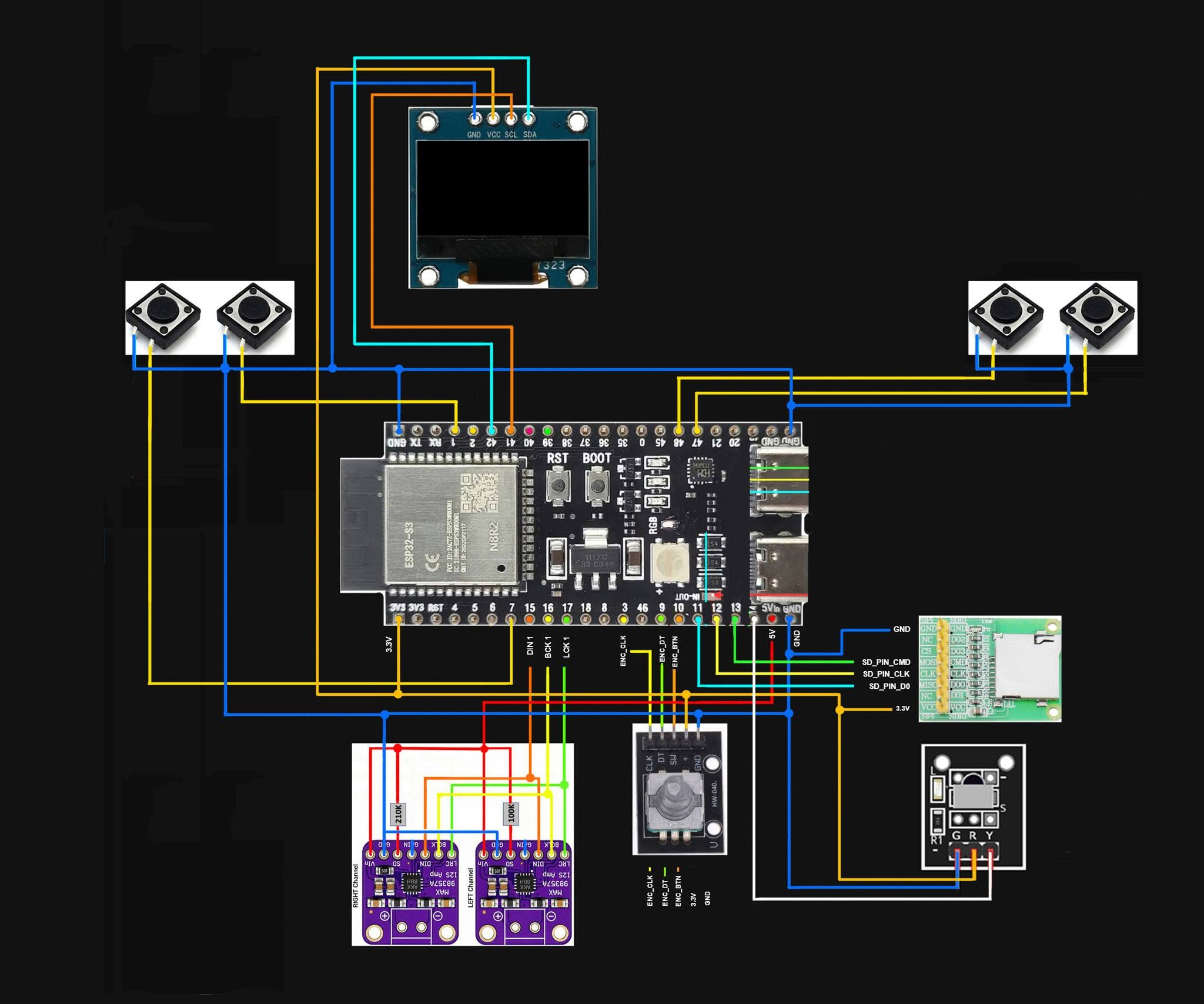
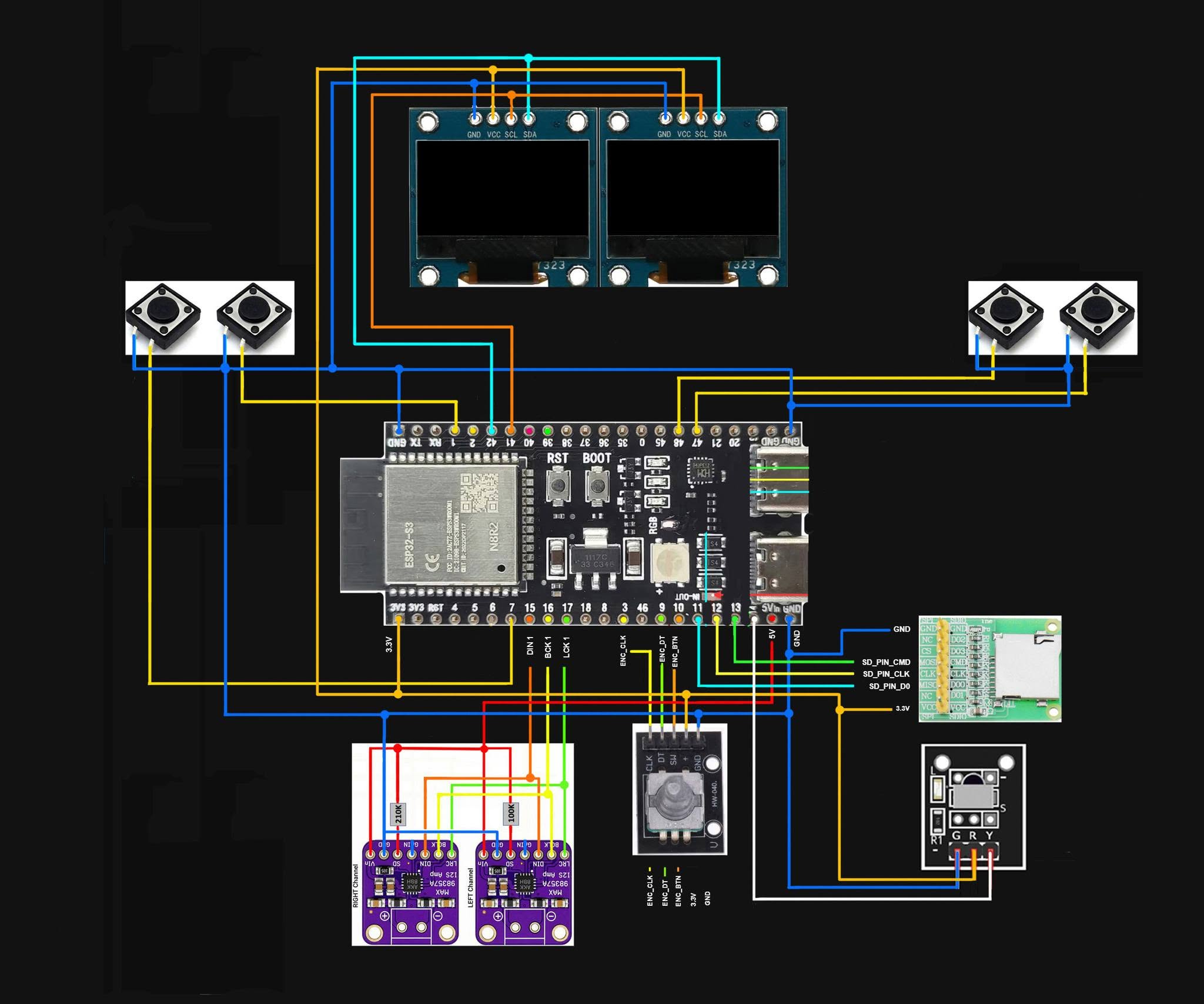
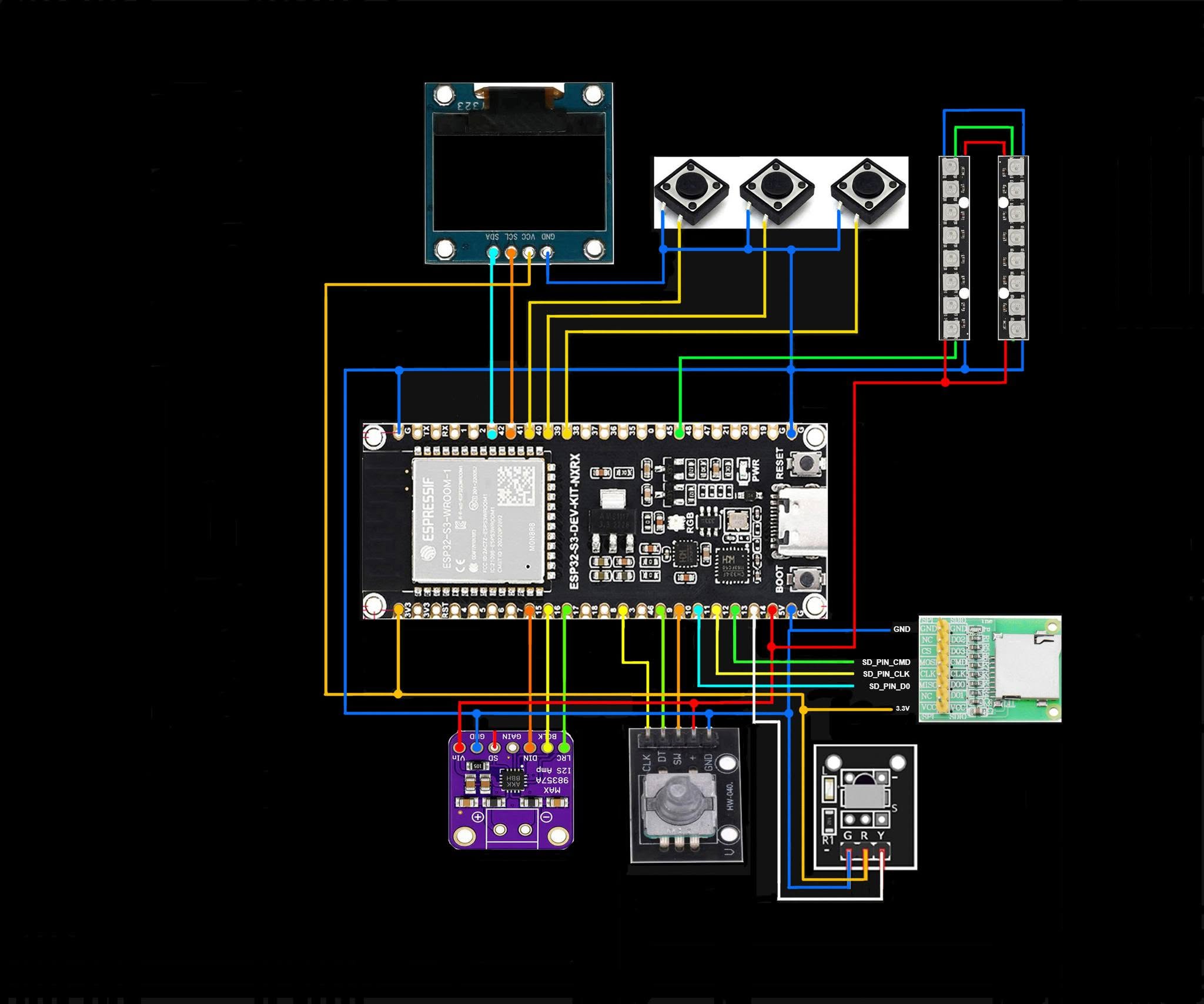
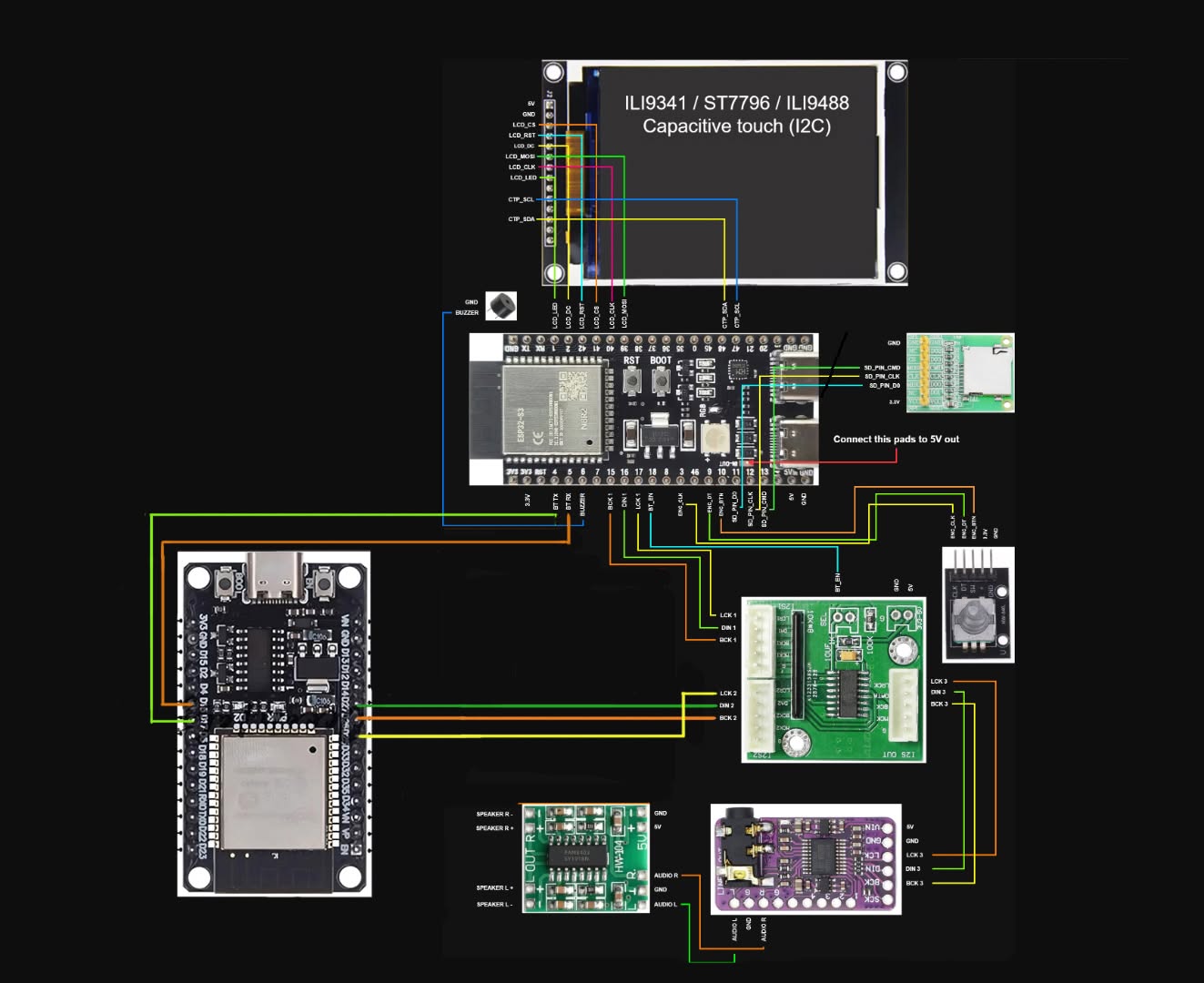
Every diagram shows the default pin map. One firmware fits any wiring — pins live in the device's web UI, so if yours differ, remap them at <device-ip>/setup instead of rewiring to match the picture.
Display panel
Touch
Modules — the diagram has to include all of them
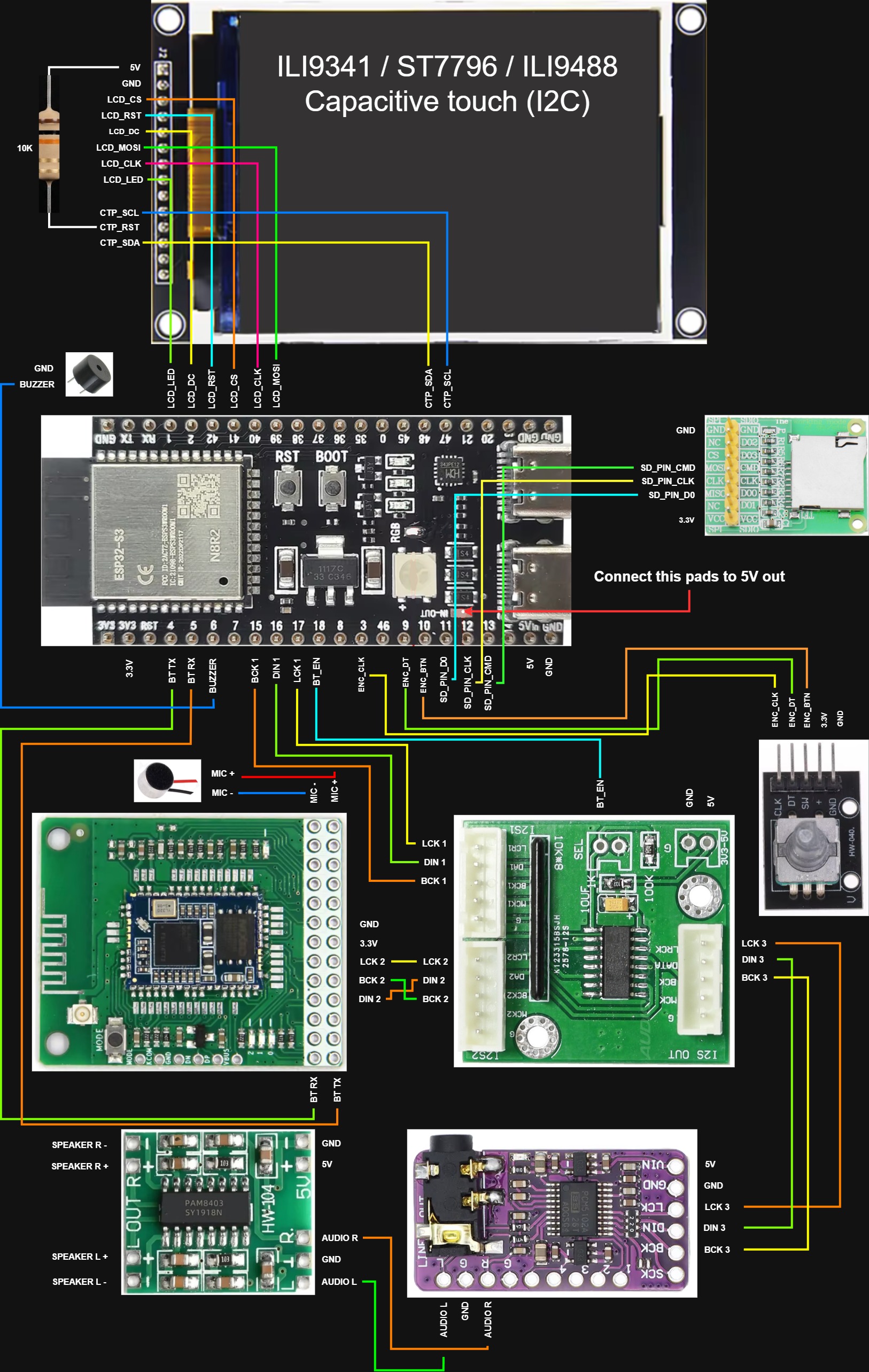
SPI panel + FT6336U

SPI panel + FT6336U

The full build: one wiring for every 4-wire SPI panel, only the panel module itself changes.
ILI9341 320×240 ST7789V 320×240 ST7796U 480×320 ILI9488 480×320 FT6336U SD card Bluetooth module Rotary encoder I2S DAC Amplifier + speakers Buzzer Microphone
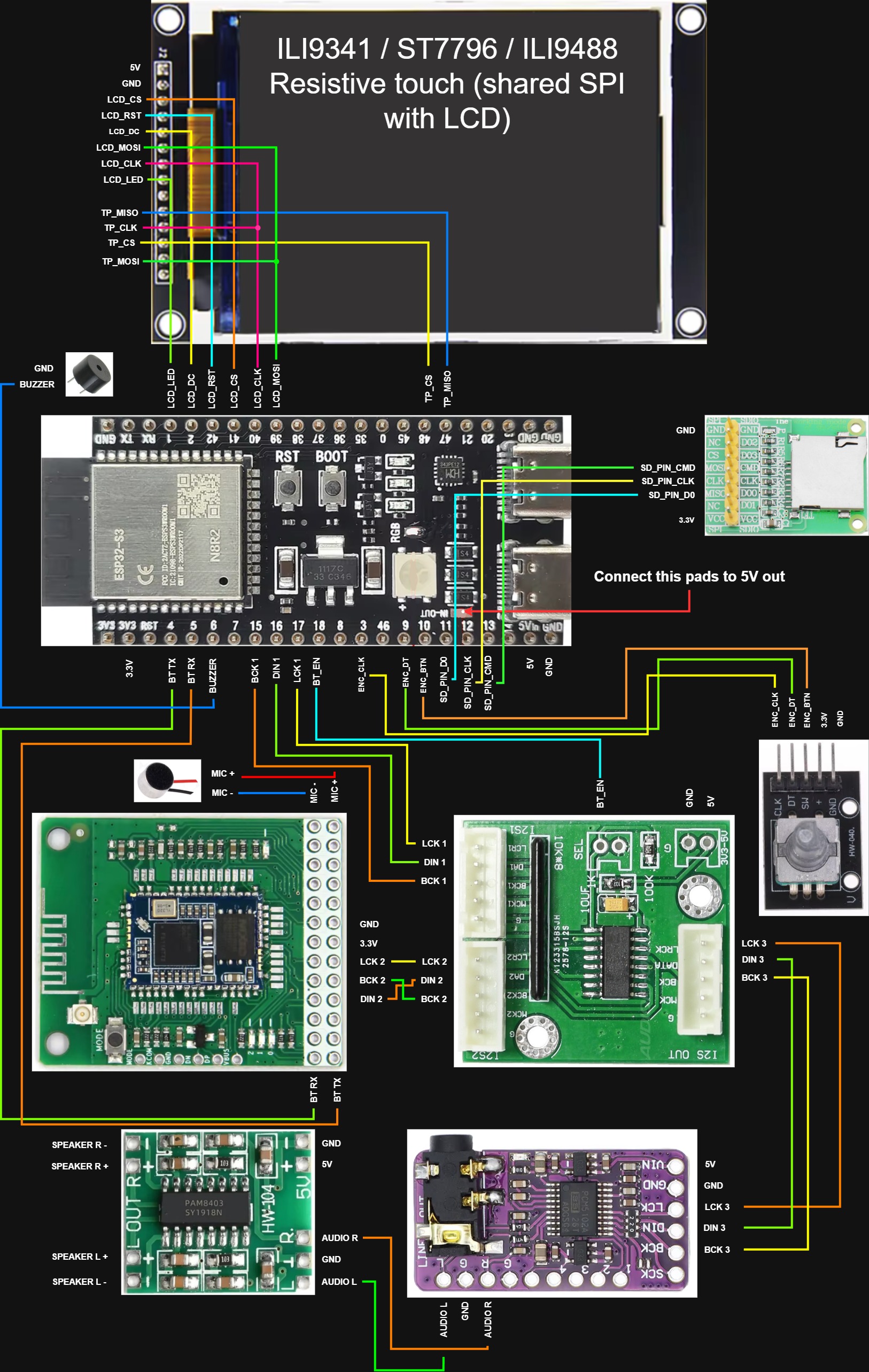
SPI panel + XPT2046

SPI panel + XPT2046

The full build with resistive touch — it shares the panel's SPI bus and adds its own CS.
ILI9341 320×240 ST7789V 320×240 ST7796U 480×320 ILI9488 480×320 XPT2046 SD card Bluetooth module Rotary encoder I2S DAC Amplifier + speakers Buzzer Microphone
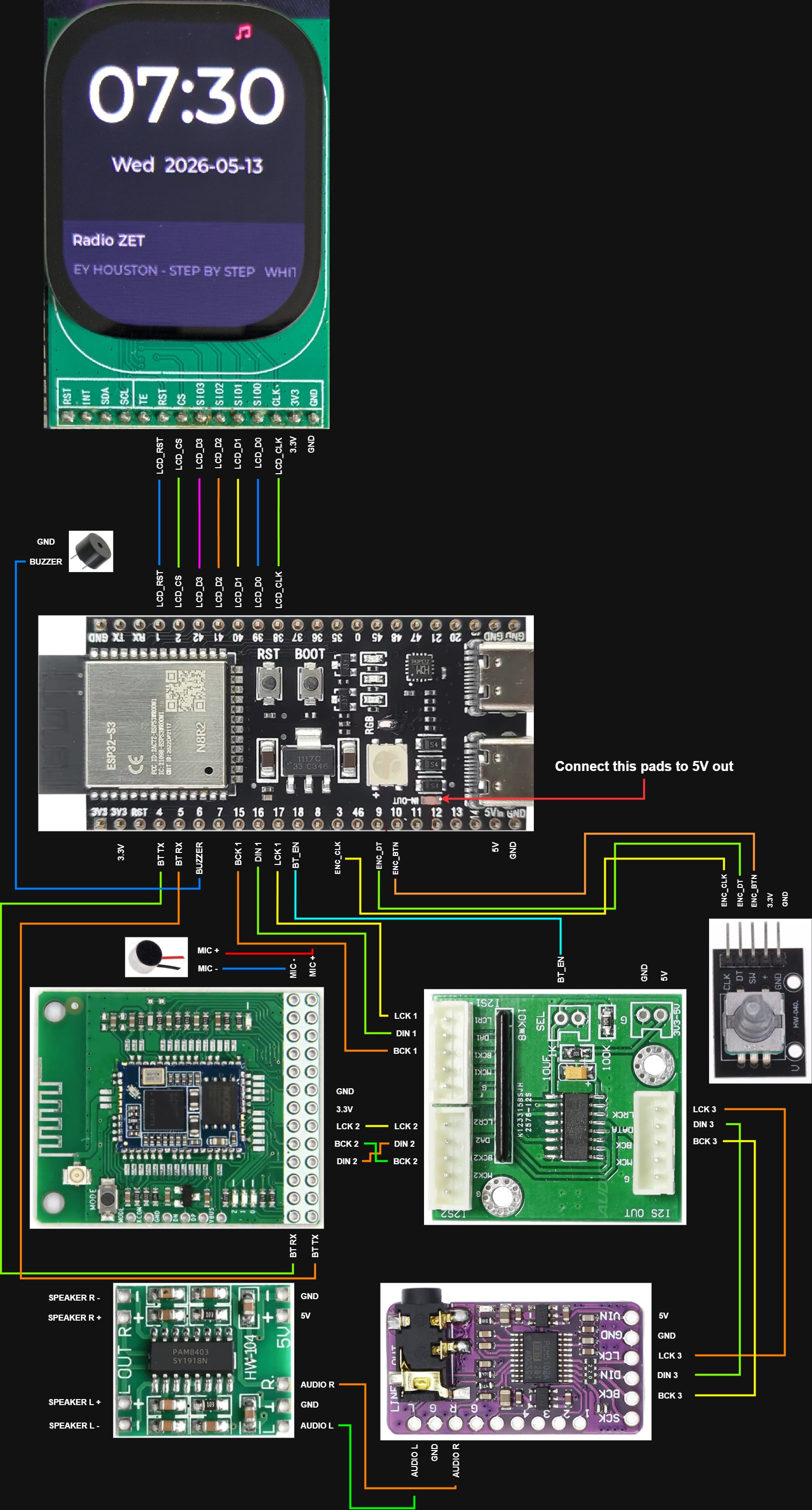
CO5300 AMOLED + CST816D

CO5300 AMOLED + CST816D

QSPI panel, four data lines. This build has no SD card wired.
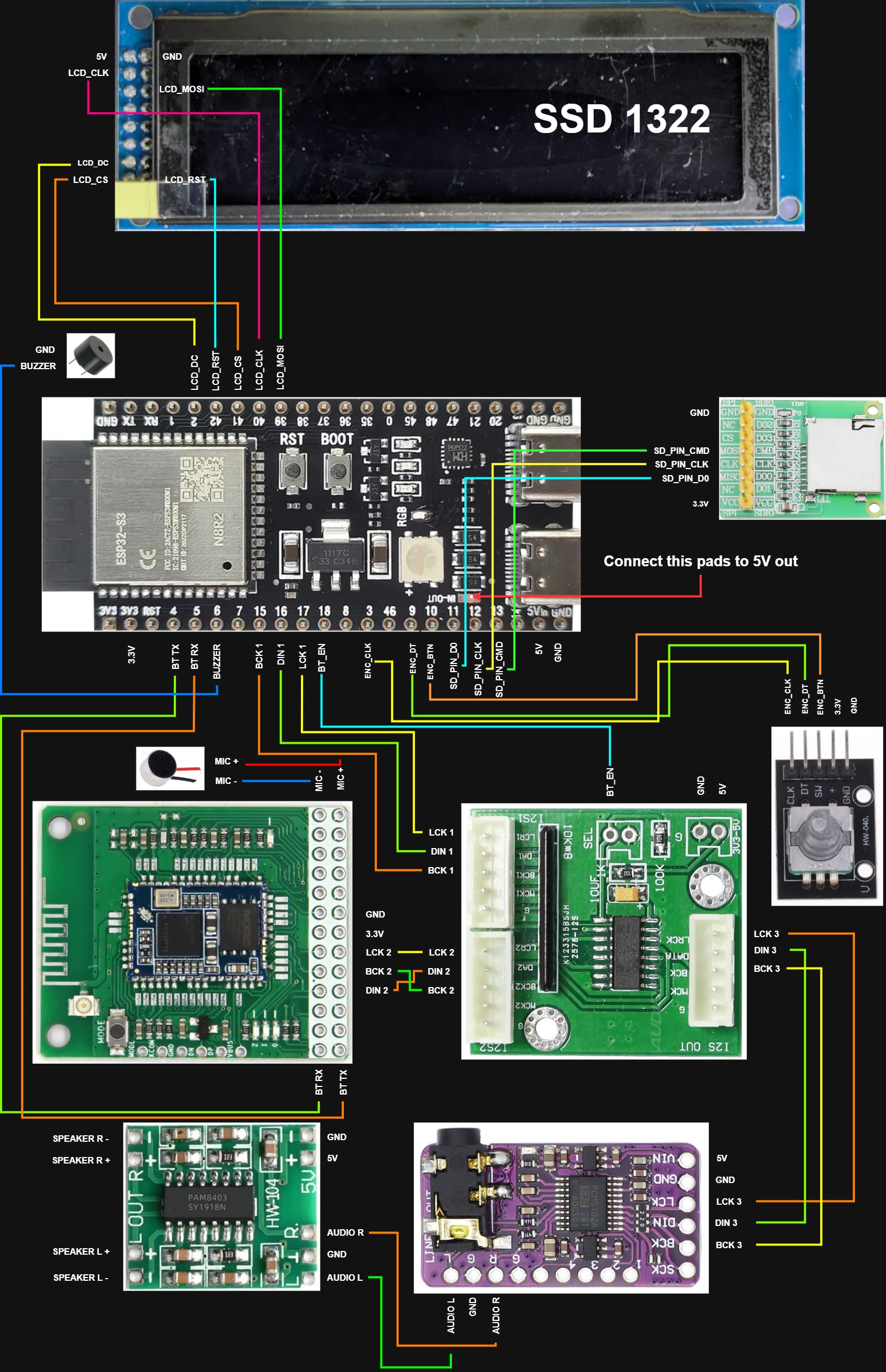
CO5300 240×296 CST816D Bluetooth module Rotary encoder I2S DAC Amplifier + speakers Buzzer Microphone
SSD1322 mono OLED + encoder

SSD1322 mono OLED + encoder

No touch panel — the rotary encoder is the only input.
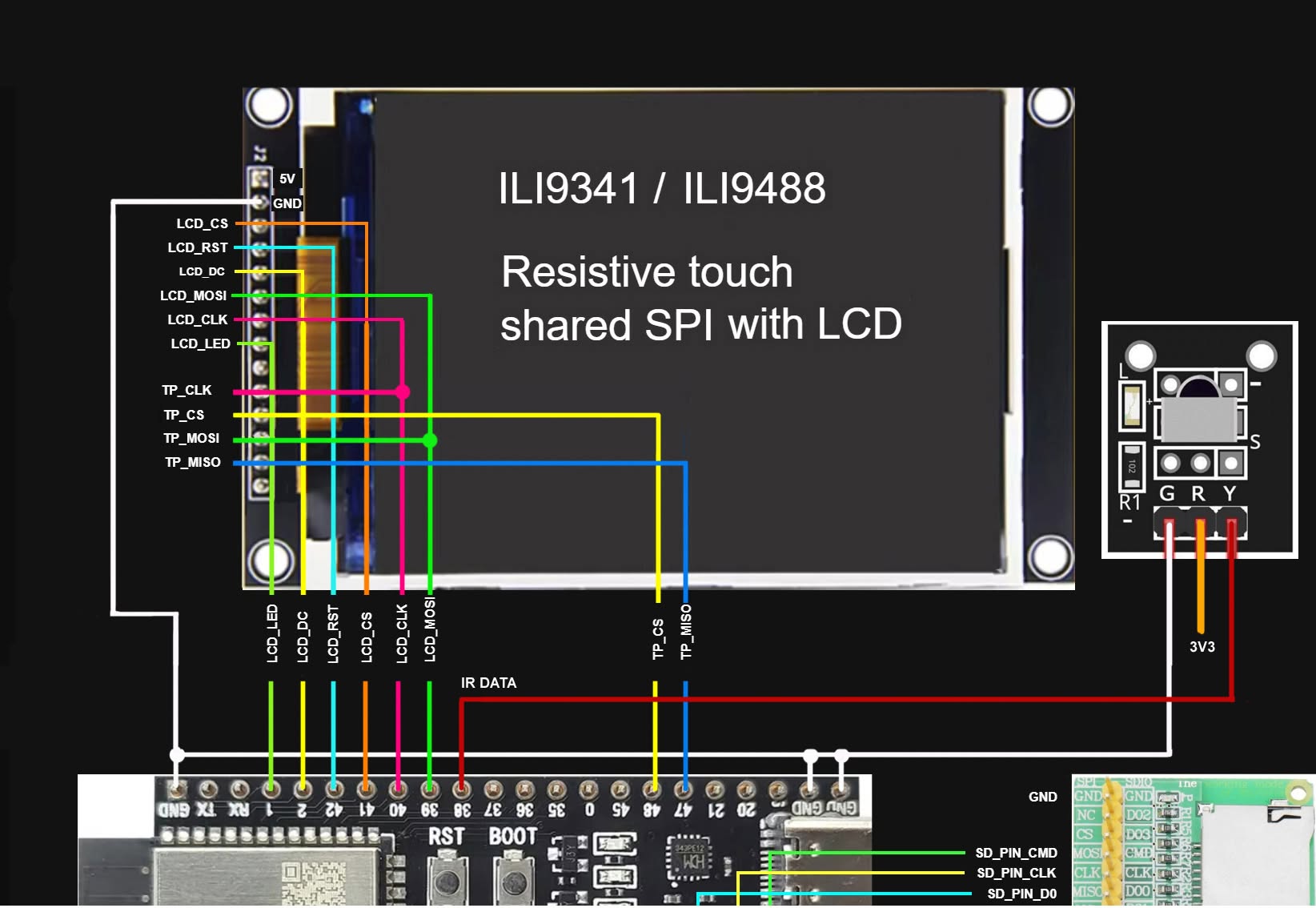
SSD1322 256×64 No touch SD card Bluetooth module Rotary encoder I2S DAC Amplifier + speakers Buzzer Microphone
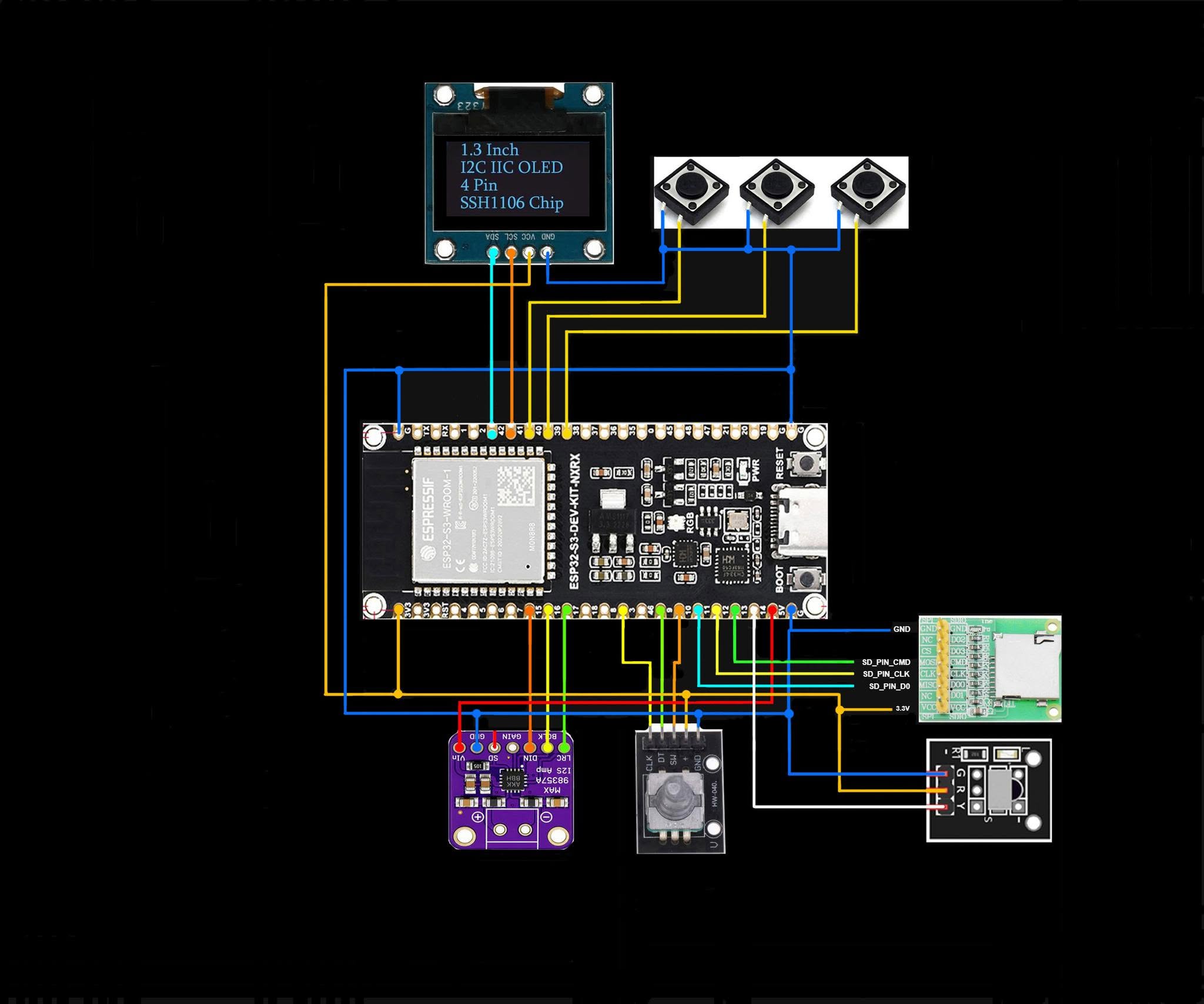
SPI panel + XPT2046 + IR

SPI panel + XPT2046 + IR

Slimmed-down build: panel, resistive touch, SD card and an IR receiver on a single data pin.
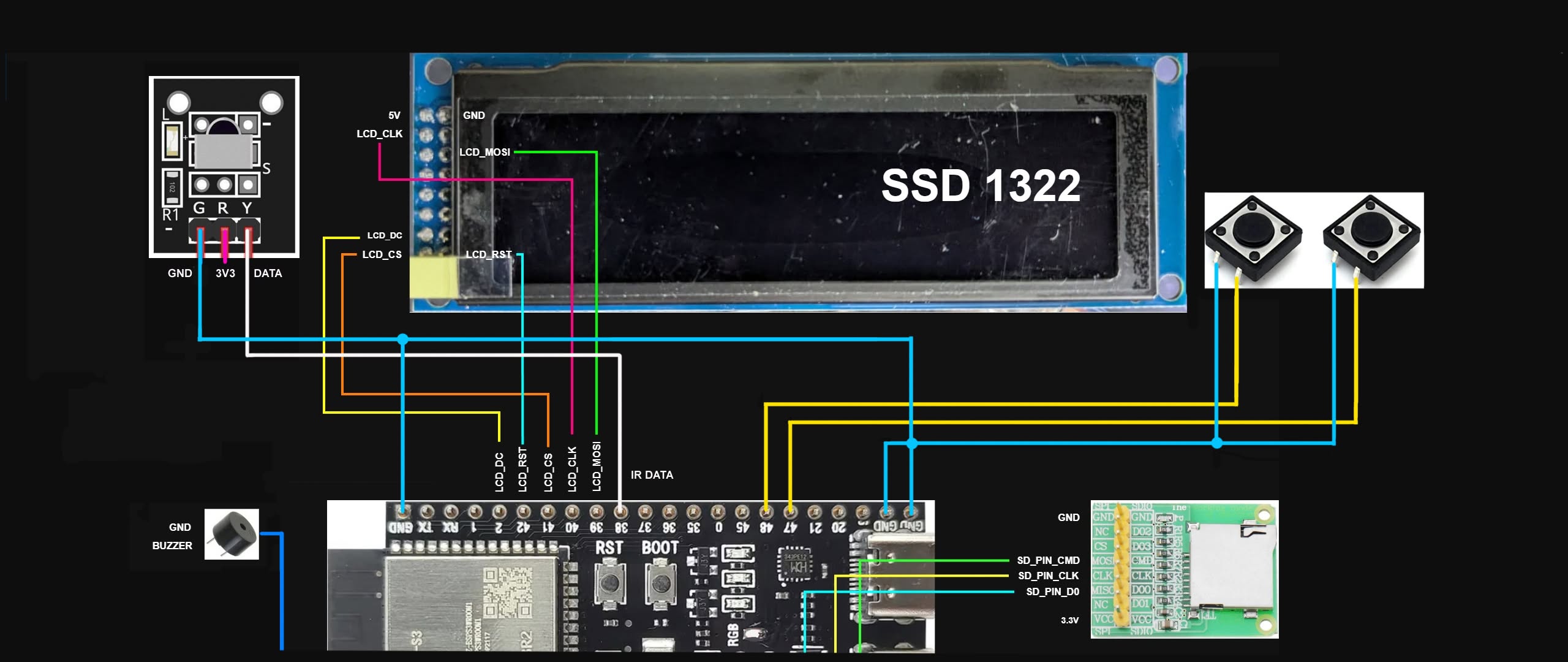
ILI9341 320×240 ILI9488 480×320 ST7796U 480×320 ST7789V 320×240 XPT2046 SD card IR receiver
SSD1322 + IR + buttons

SSD1322 + IR + buttons

Mono OLED driven by two push buttons and an IR remote, with SD card and buzzer.
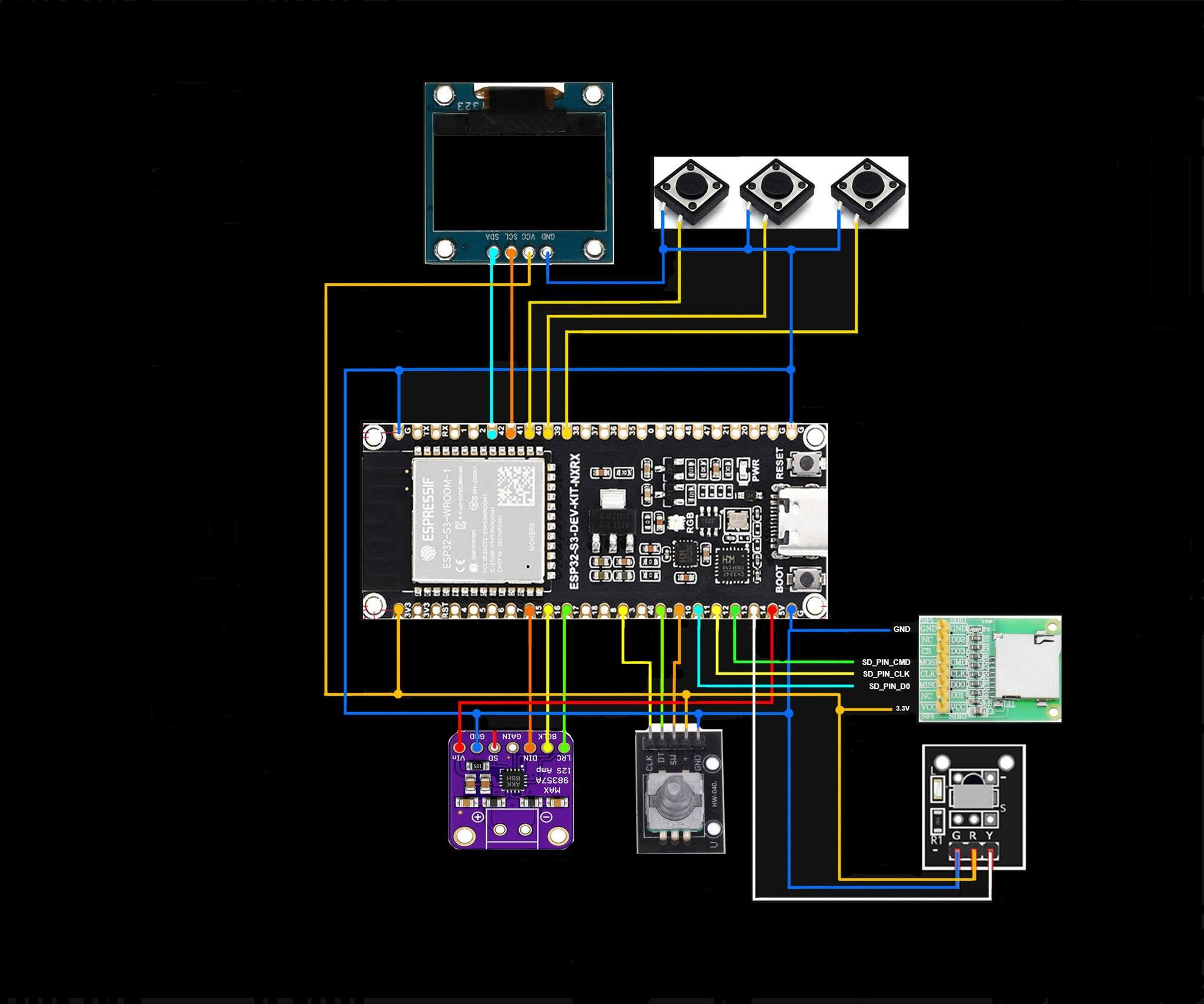
SSD1322 256×64 No touch SD card IR receiver Push buttons Buzzer
No diagram covers that combination yet.
Drop a module or two — a diagram with more on it than you wired is still the right one to follow.
← Back to atlascube.net